
How to Tag a Friend in a Facebook Post: A Complete Facebook Friend Tagging Guide
When you Facebook friend tagging the people you mention will see your post. Tagging friends on Facebook helps you connect with people. It gets eyes on your posts and makes your content more engaging. This is helpful whether you are sharing a photo for an occasion or including someone in a conversation.
Facebook makes it easy to tag friends on your computer or phone. If you are new, to Facebook or want to make sure you are doing it right this guide will show you how to tag friends in Facebook posts.
Facebook Friend Tagging: Step by Step Guide
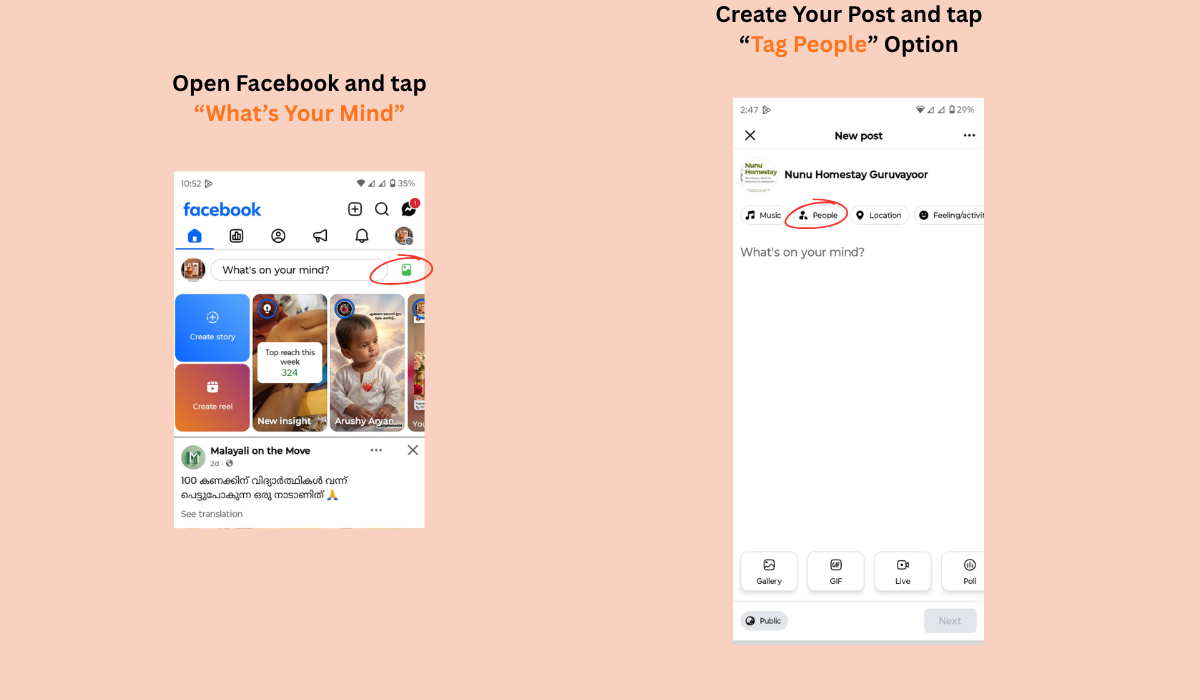
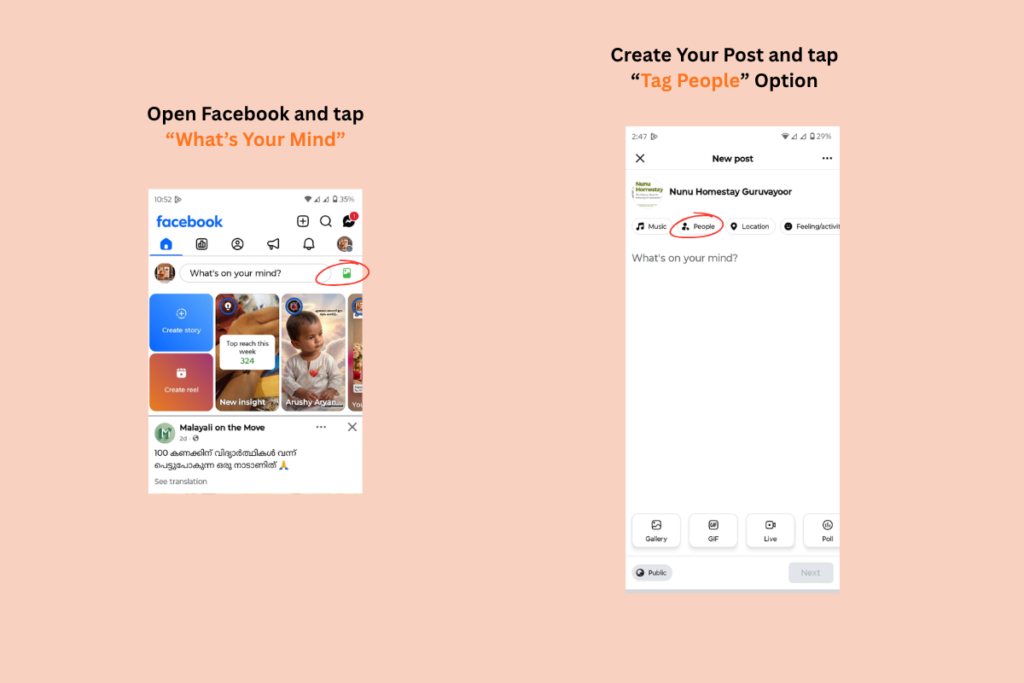
1. Open the Facebook app and tap “What’s on your mind?”
2. Create your post and tap the “Tag People option.
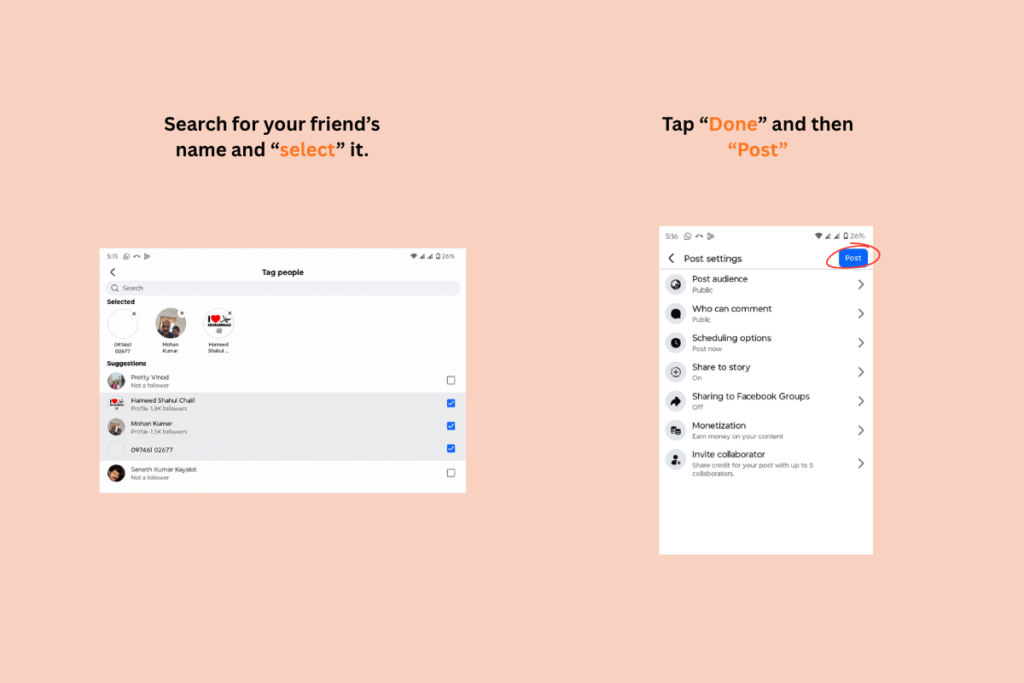
3. Search for your friend’s name and select it.
4. Tap “Done”and then “Post.”
Why Tagging Friends on Facebook Matters
People tag their Facebook friends for various reasons. Facebook friend tagging helps users share experiences invite friends to join conversations and make interactions more personal. People often tag their friends in photos taken at events when promoting certain products or services or when discussing topics that may interest them. In addition tagging is an easy way to acknowledge people who participated in specific activities or events and ensure they are included in the conversation.
What Happens When You Tag Someone (Facebook Friend Tagging)?
When you tag a friend on Facebook it usually sends them a notification. Depending on their settings the post you tagged them in might also appear on their timeline. Be visible to their friends.
However people can control how tags work. Some people can approve posts before they appear on their profile.
Because of these settings not every tagged post will automatically appear on a friend’s timeline.
Common Tagging Issues and How to Fix Them
- The friend does not appear in search results.
- This can happen if the persons settings do not allow tagging you spelled their name
wrong or their account is not active.
- The tag disappears after posting.
- This can happen if the tagged person removes the tag or changes their settings.
You cannot tag someone in posts.
- Some Facebook groups, pages or posts with settings might not allow tagging.
Tagging thoughtfully helps keep media nice and encourages real conversations.
Conclusion:
Understanding Facebook friend tagging can help you make interesting and personal Facebook posts. Whether you tag someone in a status update,photo or special announcement it is quick and easy. By following the steps and tips you can use Facebooks tagging feature well and make sure everyone has a good experience.
